
A practical guide for small businesses
How to make a salon price list your clients can use
Give clients the service name, what the visit includes, how long to allow and what changes the price. Use the printable template below to draft your own list.
For independent hair salons, nail studios and beauty businesses preparing a service menu for the front desk or a phone.
Printable salon price list template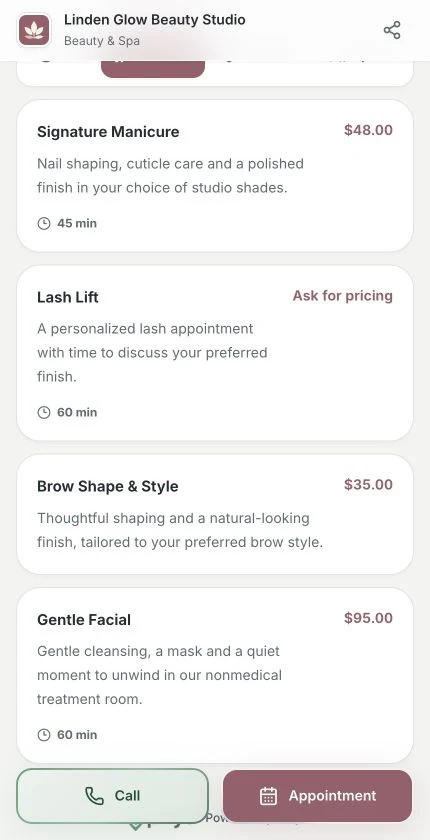
Help customers understand the service before they contact you or request an appointment.
A client sees “manicure” on your menu. Does that include removing old polish? How long should they allow? A good entry answers both questions before they contact you. Start with one service you explain often at the front desk.
Take away three worked examples and a blank worksheet you can print and fill in with your team.
Name what a client actually gets
Group services by what clients ask for. Under nails, separate a classic manicure from gel removal. Under hair, say whether a cut includes a wash and blow-dry. Put the difference in the description where people compare the options.
Choose a price that the team can explain
Use a fixed price for a repeatable service. For a starting price, say what the starting price covers and which changes need a quote. If a color correction needs an assessment, tell the client when they will receive the price. Never enter zero to stand in for a quote.
Record one optional extra per line so the person at the desk can confirm it before the appointment. The amounts on the Piriyo screenshots are example prices from a fictional US studio.
Enter the right details in your workspace
In Piriyo, a service can show a description, duration and a single price in the business currency. The default for new businesses is TRY in Türkiye and USD in other markets. For a variable service, describe the conditions in the text and hide the price until you can quote.
To publish a numeric price in another supported currency such as EUR or AED, use a price list entry and select the currency for that row. Free includes up to 10 published services and 10 published price list entries where those modules are available.
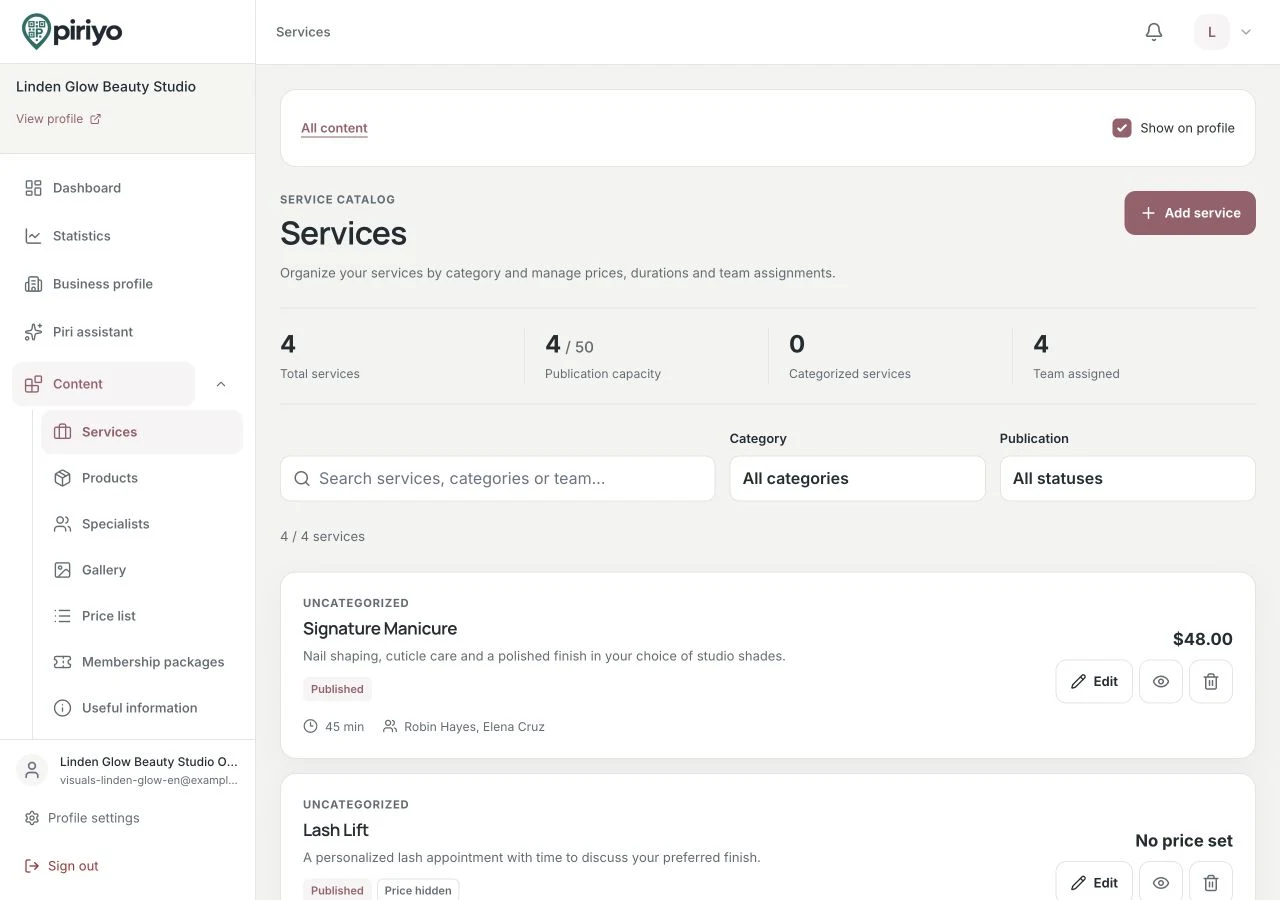
Manage the details that help customers compare your services and understand their scope.
Read the list on a phone before the first appointment
Open the public profile as a client and find one fixed-price service and one that needs a quote. Check that the currency and any extras are visible. If you accept appointment requests, check that the service can be selected and that the client knows to wait for confirmation. The request does not take a deposit or collect payment.
How to make a salon price list your clients can use
Printable salon price list template
Copy the rows into your own document or print them and fill in the blank lines. Replace the bracketed amounts and times with your salon’s actual figures, including the currency.
| Service | What’s included | Time to allow | Price to show | Optional extras |
|---|---|---|---|---|
| Classic manicure | Shape, cuticle care and polish | 30 min | [amount] [currency] | Gel removal priced separately |
| Cut and blow-dry | Wash, cut and finish | 45–60 min | From [amount] for short hair | Extra styling agreed first |
| Color correction | Consultation before a color plan | [consultation time] | Quote after consultation | Extra sessions confirmed separately |
| Your service | ||||
| Your service | ||||
| Your service |
Check your list before sharing it
Hand the list to someone at the front desk and ask them to explain the first price to a new client.
The print version includes the example rows, space for your services and the review checklist. Your browser can also save it as a PDF.
Piriyo ·
Put one service on your public menu
Start with the service clients ask about most. Review the public screen with a colleague before entering the rest of the list.