
Individual products with useful details
Present product names, descriptions, images and prices where applicable. Organize the offer so a customer can identify the item they want to ask about.
Put your business information to work
Give customers a convenient way to browse your offer before they contact you. Use the product showcase for individual items, or share an existing PDF or catalog link from your business profile.
For shops, producers and suppliers that discuss product details, availability or delivery directly with customers.
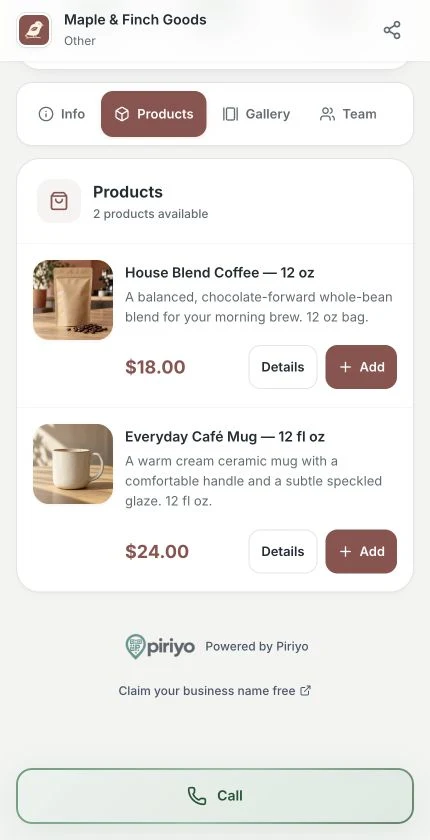
Help customers recognize the products they want to ask you about.
Present product names, descriptions, images and prices where applicable. Organize the offer so a customer can identify the item they want to ask about.
With the product selection flow and a configured WhatsApp contact, customers can collect items in a temporary basket and open a message with the selection details.
Publish a PDF catalog or an external catalog link when you already have a brochure. This is a separate way to browse your content, rather than the product selection basket.
Inside your workspace
Add product photos and clear descriptions, then review how the collection looks to a customer. Keep prices and contact options accurate.
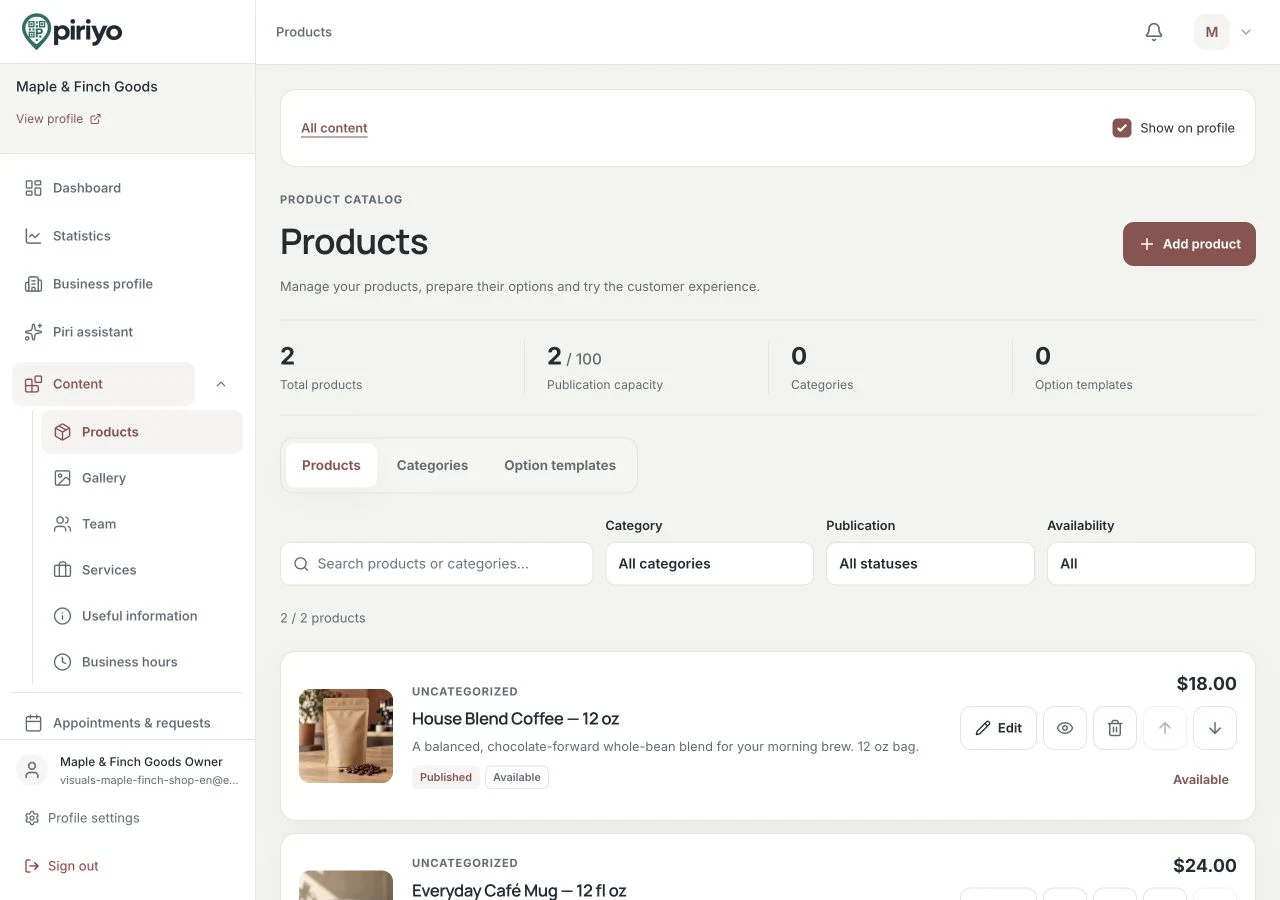
Manage product entries in your workspace; your business handles the agreement and payment separately.
Use individual product entries when customers need to refer to specific items. Add a PDF or external catalog when a prepared document better explains your range.
Enter your published business contact details and check the WhatsApp destination if you use product inquiries. Make prices and product descriptions clear before publication.
Open the profile on a phone, browse the catalog and test the available product selection flow. Confirm what information reaches the message before sharing the profile.
A supplier can show individual chairs and tables with photos while linking a fuller PDF collection. A customer can send selected product details through WhatsApp and discuss dimensions or delivery with the business.
A WhatsApp message is an inquiry, not a confirmed order. Piriyo does not reserve stock, process payment or provide WhatsApp Business API automation in this workflow. Opening a PDF does not add its contents to a basket.
What your customers see
After choosing products, customers can add delivery details, a payment preference and a note before preparing a WhatsApp message. They review and send the message themselves.
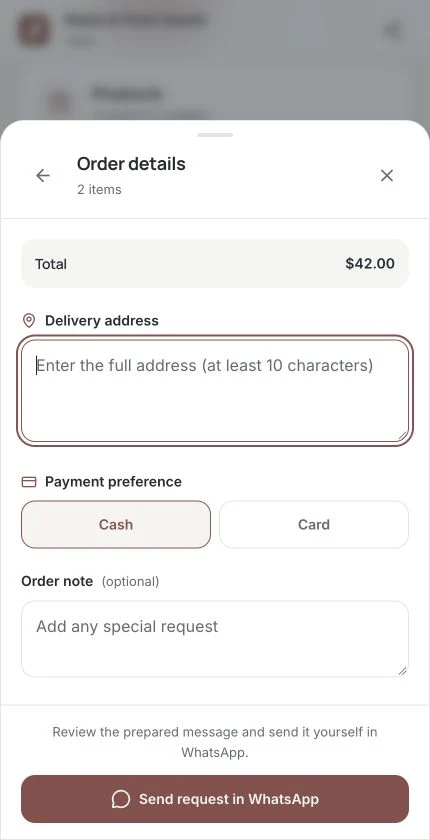
Review the request details before sending. Payment is arranged with the business separately; no online payment is collected here.
It is a product presentation and inquiry workflow. Your business handles availability, agreement, payment and fulfillment separately. Use the catalog to help customers explain what interests them.
Yes. You can publish a PDF or external catalog link alongside other profile content. Keep the document up to date when products or prices change.
No. The selection helps start a conversation. Your business must confirm current stock, any final price and delivery arrangements directly with the customer.
Choose the information your business needs to share, prepare your profile and check the plan that fits your use.